Best 9 Music Video Makers for PC/Mobile You Can't Miss
Last Updated: 2026. 06. 05
A good music video turns a song into a piece of art. Besides serving artistic purposes, music videos are also serving as commercial ad to help you boost sales. However, we all should admit it, they can be quite expensive to produce.
Stop paying over-priced video creation studio thousands of dollars! There are lots of music video makers that can help out! No experience, no compromise on video quality! Let's check the following excellent music video makers and decide which one is the best.
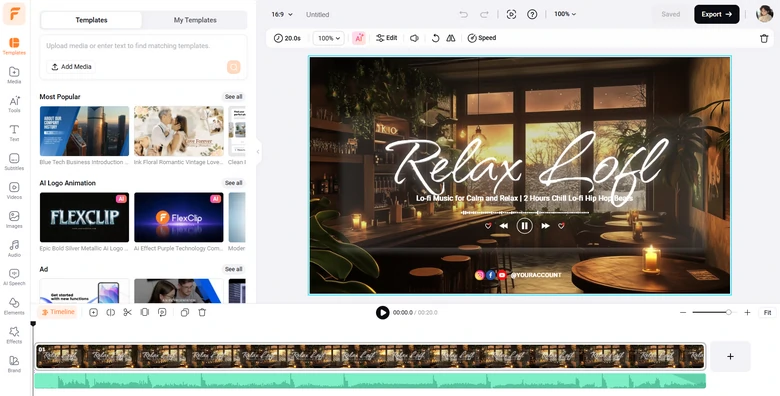
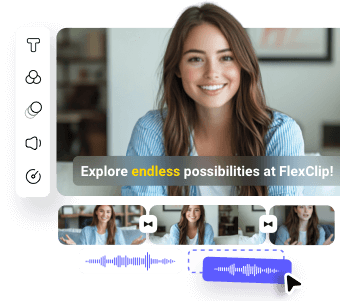
You can enjoy the AI convenience and music video editing fun at the same time with FlexClip. To be more specific, AI helps you create stunning visuals and music, generate captions within minutes. Meanwhile, the intuitive drag-and-drop editor gives you the freedom to customize transitions, effects, animations, and sync music beats exactly the way you want.
Key Features
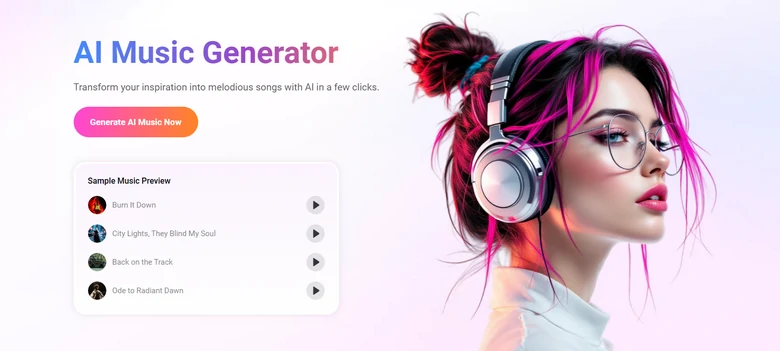
AI Music Generator: Turn a basic text prompt or an inspiring audio sample into a complete, ear-pleasing song or instrumental track, tailored preciously to music style, genre, mood that capture your imagination.
FlexClip AI Music Generator Overview
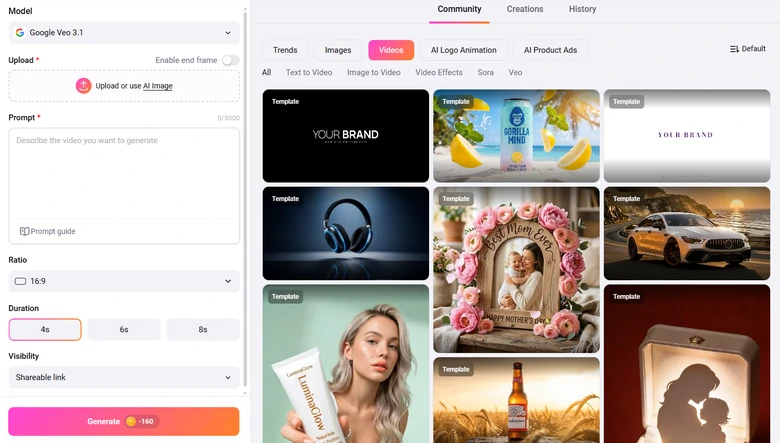
AI Video Generator: Generate images, videos that match your music. Backed up with the latest AI generation models like Seedance 2.0, Nano Banana, you can generate visuals with ultra realism, and great character consistency.
FlexClip AI Video Generator Overview
Easy timeline editor which allows you to do both basic and advanced edits, including trimming, filters, transitions, speed curve, motion tracking, dynamic captions, etc.
FlexClip Music Video Editing Panel
FlexClip provides a vast built-in library of over 4 million royalty-free photos, videos, and 7000+ professional-level video templates to get started easily.
Preview
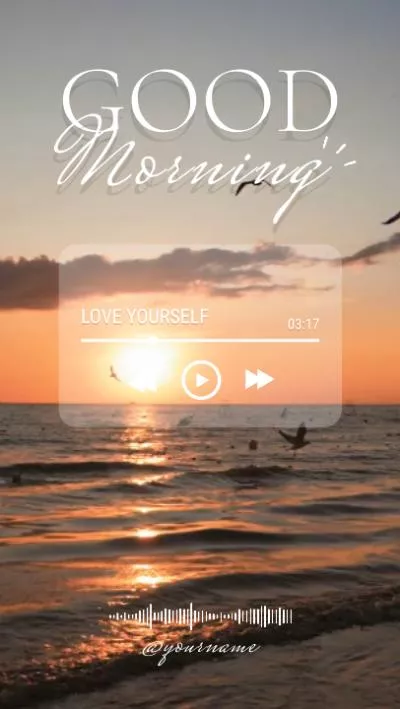
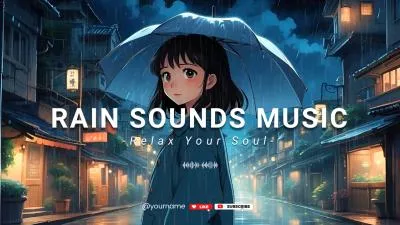
Relax Music Channel Intro
Use This Template
Preview
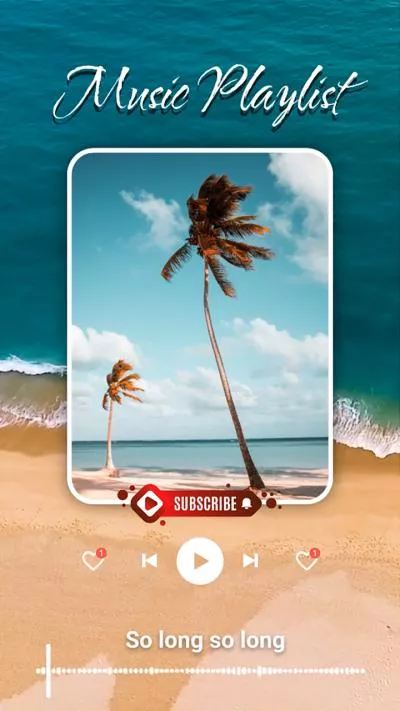
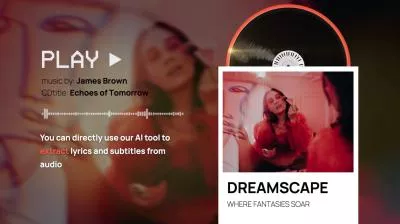
Animated Lyric Music Video
Use This Template
Since FlexClip is a cloud-based tool, rendering and exporting videos are notably fast and don’t rely on your computer’s hardware specs.
Easy to share your music video in a variety of ways. You can save the music video to a local folder or cloud services, share via a short link, or post to social media directly.
Downsides of Using FlexClip’s Music Video Maker
Despite powerful AI tools, FlexClip doesn’t have features crucial for complex music videos, such as advanced keyframing, basic color grading.
It may take you several attempts to get a satisfying clip for your music video, especially if you are using older AI generation models.
If your internet connection is slow or drops completely, your workflow is halted, and large media uploads will take a significant amount of time.
Freebeat
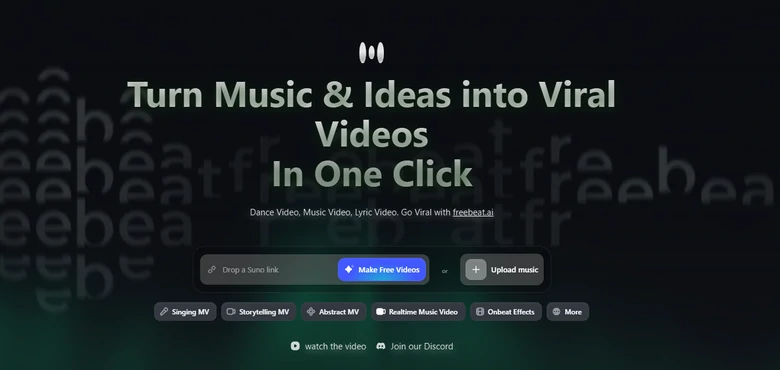
FlexClip asks you to generate consistent visual clips and stitch them into a complete music video. Freebeat, however, maps the entire musical structure, and builds a cohesive, fully synchronized music video without any prompting. In a word, it is an excellent option for solo musicians, Suno/Udio hobbyists, and content creators who need a music video demo fast.
Key Features
Freebeat uses a multi-dimensional analysis system that scans BPM, structural boundaries. This helps AI create videos that match music rhythm.
Integrated with over 44 different video generation models, including Kling, Luma Ray, Veo, Freebeat is able to keep a character looking visually identical across more than 80 camera cuts in a single video. You can also upload or lock in two distinct characters to create a story.
You will find Freebeat extremely powerful when it comes to handling languages. It aligns avatar mouth movements to sing vocals with high accuracy across more than 100 languages.
AI agent helps you dynamically assign specific rendering engines to individual scenes based on the motion complexity and lighting depth. You can always get the best visuals.
Freebeat Music Video Maker Overview
Downsides of Using Freebeat’s Music Video Maker
Freebeat-generated AI music video caps out at 1080P resolution. The resolution that is perfect for social media, but lacks of ultra-high-def cinema fidelity.
Freebeat is an agent-based builder designed around automation. It is quite convenient to use, but directors who want absolute manual control will find it quite restrictive.
You may encounter less satisfying clips, and regeneration takes lots of extra credits.
Runway
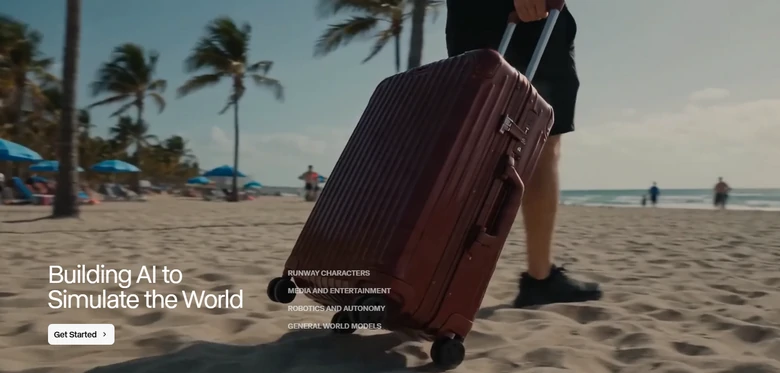
Freebeat is like a music video director, while Runway is more like an advanced visual effects and production studio. You can’t finish a music video with a single click using Runway, but you can create jaw-dropping, high-fidelity visual clips so that they can be assembled to their track.
Key Features
Runway’s models deliver unmatched physical realism, fluid dynamics, and complex lighting. The output will look like it was shot on an expensive camera.
It is not just about the text prompt. Tools like Motion Brush allow you to paint over a static image, and specify exactly which part should move.
If you are pursuing a music video with realistic movement, the Act-One feature is a game-changer. You can record a video of yourself singing or dancing, and Runway will seamlessly map your exact facial expressions, micro-movements, and lip-syncing onto any AI-generated character.
Restyle your video from normal phone-filmed clips to claymation, 3D cyberpunk, cartoon. Overhaul the visuals while keeping the music video’s physical movements.
Runway Music Video Maker Overview
Downsides of Using Runway’s Music Video Maker
Runway doesn’t listen to music, so every video clip must be exported out of Runway and manually synced to your song using a video editor.
To get the best out of Runway, you have to learn how to write prompts like a real cinematographer to specify lighting types, lens types, and camera speeds.
Each generation from Runway is restricted to 5-10 seconds. While you can extend the shot, creating a 3-4 minute music video requires lots of individual clips and credits.
Adobe Premiere Pro
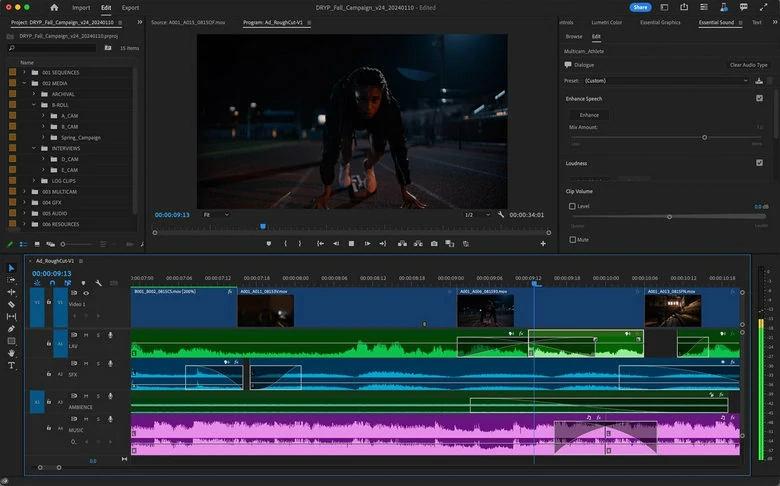
Adobe Premiere Pro is like a heavy-duty carpentry workshop. You can’t upload a music track, or type in a text prompt to get a fully formed music video. However, experts can cut, color, mix, and polish clips into a final masterpiece. Additionally, Adobe Premiere Pro is deeply integrated with Firefly video model and neural engines in the timeline, which means you can generate clips inside the editing panel.
Key Features
Unlike any basic editing tools, Premiere Pro lets you adjust clips frame by frame precisely to transient spikes in your music waveform.
The Generative Extend tool naturally stretches the clip. Whenever you find the clip is short, it automatically generates extra video frames to perfectly fill the gap as you wish.
Enhanced audio tools like AI Audio Remix tool, which allows you to automatically stretch, cut, or loop a background music track or intro beat to perfectly fit a specific visual segment.
Manually create tons of stunning visual effects to enrich your music video visuals, like audio visualization, key framing.
Adobe Premiere Pro Music Video Maker Overview
Cons of Using Adobe Premiere Pro’s Music Video Maker
Adobe Premiere Pro is designed for professional film editors. If you have never edited a video before, it will feel incredibly overwhelming.
Adobe Premiere Pro can’t generate whole new music videos. You must supply the core raw material.
A powerful computer CPU is needed to run Adobe Premiere Pro. Using a less powerful one may bring you stuttering and lagging issues.
Final Cut Pro
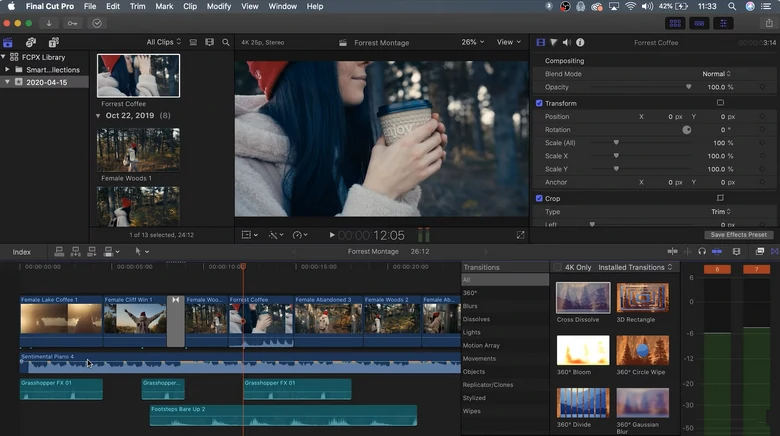
Similar to Adobe Premiere Pro, Final Cut Pro is a professional, non-linear video editing program. You can achieve studio-quality music videos. The biggest difference between Final Cut Pro and Adobe Premiere Pro is the system support. FCP is famously optimized for the Mac and iPad ecosystems. It works extremely fast on Macbooks and iPads running M-series clips.
Key Features
Final Cut Pro uses a flexible, fluid timeline where clips automatically snap together and push out of the way without breaking sync. As for creating music videos with hundreds of rapid cuts, this eliminates accidental gaps or out-of-sync issues.
FCP can automatically sync up to 64 different angles of video and audio using audio waveforms, timecode, or markers. You can then cut between angles in real-time simply by clicking the multi-view screen.
Thanks to Apple’s machine learning technology, FCP can analyze any song file, then map out a beat grid right on your timeline, revealing bars, beats, and song parts. This allows you to snap your video clips directly onto the rhythm without manual waveform squinting.
You will no longer need to scrub through raw media files to find a specific moment. Whenever you type a phrase or a natural language description, FCP will surface matching visual clips for you.
Final Cut Pro Music Video Maker Overview
Downsides of Using FCP as a Music Video Maker
While the magnetic timeline is loved by many for its speed, editors trained on traditional track-based systems can find it frustrating stubborn when trying to stack complex visual effects.
Similar to Adobe Premiere Pro, Final Cut Pro will not create the visual assets for you. You will need to film, or generate elements in a creative AI engine then import them into Final Cut.
Luma Fusion
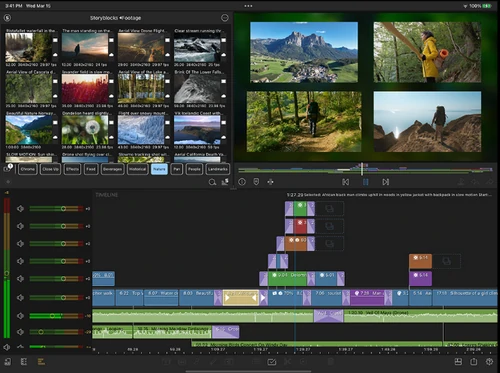
Luma Fusion takes mobile audio and video editing into true professional desktop territory. With its sophisticated magnetic timeline, it allows creators to architect complex, cinematic soundscapes directly on iPhone, iPad, or high-end Android devices.
Key Features
Luma Fusion supports uploading up to 12 audio-only tracks in addition to another 12 video tracks. This helps you build an incredibly dense acoustic environment.
Pro-grade audio tools like Parametric Equalizers, audio panning controls, stereo dual-mano mapping, and advanced keyframing to smoothly automate volume and EQ transitions.
Luma Fusion is an AUv3 host, meaning you can download and use professional third-party audio plugins like advanced noise reducers or specialized reverbs.
Luma Fusion Music Video Maker Overview
Downsides of Using Luma Fusion as a Music Video Maker
The sheer timeline options, sliders, professional dials can be overwhelming for casual creators.
Luma Fusion processes pro-level desktop assets, it requires a lot of hardware power. Users on older mobile devices may experience issues like lagging, stuttering playback, etc.
CapCut
CapCut is a highly capable cross-platform video editor for desktop, mobile, and web, but people love using it on mobile most. Unlike some strictly black-canvas professional software like Adobe Premiere Pro or Final Cut Pro, it offers a standard video editing timeline, but builds a massive ecosystem of native AI tools directly into the surface. For creators making music videos, it is an incredibly efficient middle ground.
Key Features
CapCut is deeply connected to TikTok’s trending ecosystem. You get instant access to millions of pre-made templates, popular visual effects, speed-ramping presets, and green-screen overlays that would take hours to build.
The AI Audio/BGM tab is built right into the editor. You can just type a simple text prompt, CapCut will generate a royalty-free background track directly onto your timeline.
CapCut’s Auto Beat and Match Out feature makes music video creation more effective than ever. It analyzes your imported song and automatically drops visual markers on every single major beat along the audio waveform. This makes snapping your clips to the rhythm incredibly fast.
If you have an audio file of an artist singing live with bad background noise, AI can completely strip out the environment and separate vocals from the backing instruments.
CapCut Music Video Maker Overview
Downsides of Using CapCut as a Music Video Maker
While it can generate background music and visual effects from text, CapCut can’t generate video clips from scratch.
You may find CapCut-edited music video looks like a basic TikTok trend. It lacks the deep customization required to build a cinematic artistic identity.
CapCut is brilliant for a 1-3 minute video, but if you throw a 10-minute live band performance, the app struggles with complex multi-track alignment.
InShot
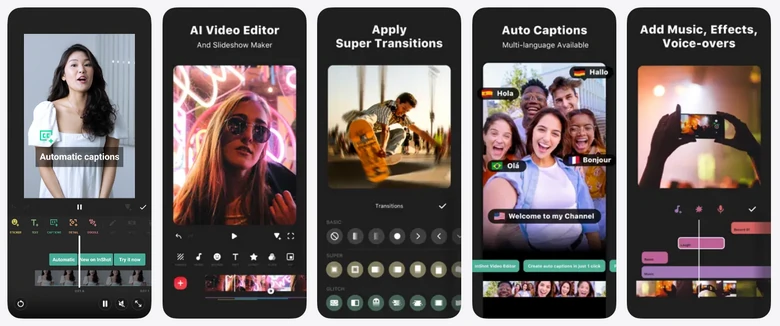
InShot strikes a perfect balance between a clean, intuitive layout for beginners and seasoned creators making music videos for TikTok, Reels, or YouTube. Besides the simple merging tool, it also has a robust audio department allowing you to design rich soundtracks, sync beats, and lay down multi-track audio from your phone. Create professional music videos at ease.
Key Features
Access a massive collection of themed, royalty-free stock music, ambient sounds, and SFX directly inside the app.
Don’t have a music track to use? InShot lets you rip the audio from any video file from your camera roll, turning it into an isolated, editable audio track.
Layer music tracks, sound effects, and voiceovers simultaneously, giving you full control over the acoustic depth of your project.
InShot Music Video Maker Overview
Downsides of Using InShot as Music Video Maker
InShot doesn’t have the beat marker feature. To precisely adjust your visuals to the rhythm, you need to manually zoom in and split the audio track.
InShot is designed to compile, sync, and edit existing music files. It doesn’t have the feature to compose original music from scratch.
The Bottom Line
With the above easy-to-use music video makers, you can surely create the best music video ever. Found this post helpful? We will appreciate it if you can share it with others. With the development of AI technology, more music video makers may merge. We will update this article to bring you the newest information. Please stay tunned.
Elena/
Member of PearlMountain Limited. Has a mania for video editing. Love to share photo/video shooting tips and ideas.
Maximum Number of Projects Reached
You can only save up to 12 video projects, please delete some of them and then create new projects.
FlexClip AI Video Maker
Reach professional-quality videos faster with easy editing tools, templates, and smart AI.